

Answer 7 safe questions
Provider, helper role, what still works, and what already failed.
For people locked out of Gmail, Outlook, or iCloud — and the families helping them get back in.
Access Assured helps you organize what happened, what still works, and what to do before the next official-provider step.
Self-guided planning only. No passwords, verification codes, provider affiliation, account access service, or recovery guarantee.
Access Assured is an independent service and is not affiliated with Google, Microsoft, Yahoo, Apple, AOL, or any account provider.
A recovery contact you no longer have, or too many failed tries
Who handles what, what has been tried, and what nobody should do
Answer seven non-sensitive questions about the account type, who is helping, what access signals remain, and what has already been tried. Do not enter passwords, verification codes, recovery codes, security answers, or private account contents.
What happens next
Access Assured is for the messy middle: you need to stop guessing, collect the right facts, and decide the safest next move before you try another recovery path.
Provider, helper role, what still works, and what already failed.
A plain-language result points to the next category of prep.
Worksheets, a route plan, family handoff pages, or the bundle.
Inside the toolkit
Three guided kits walk you through exactly what to do — step by step, in plain language. No tech skills required. If you are the one in the family who ended up handling this, they are also what lets you show up with a plan instead of a shrug. Here's a look at what lands in your inbox the moment you check out.
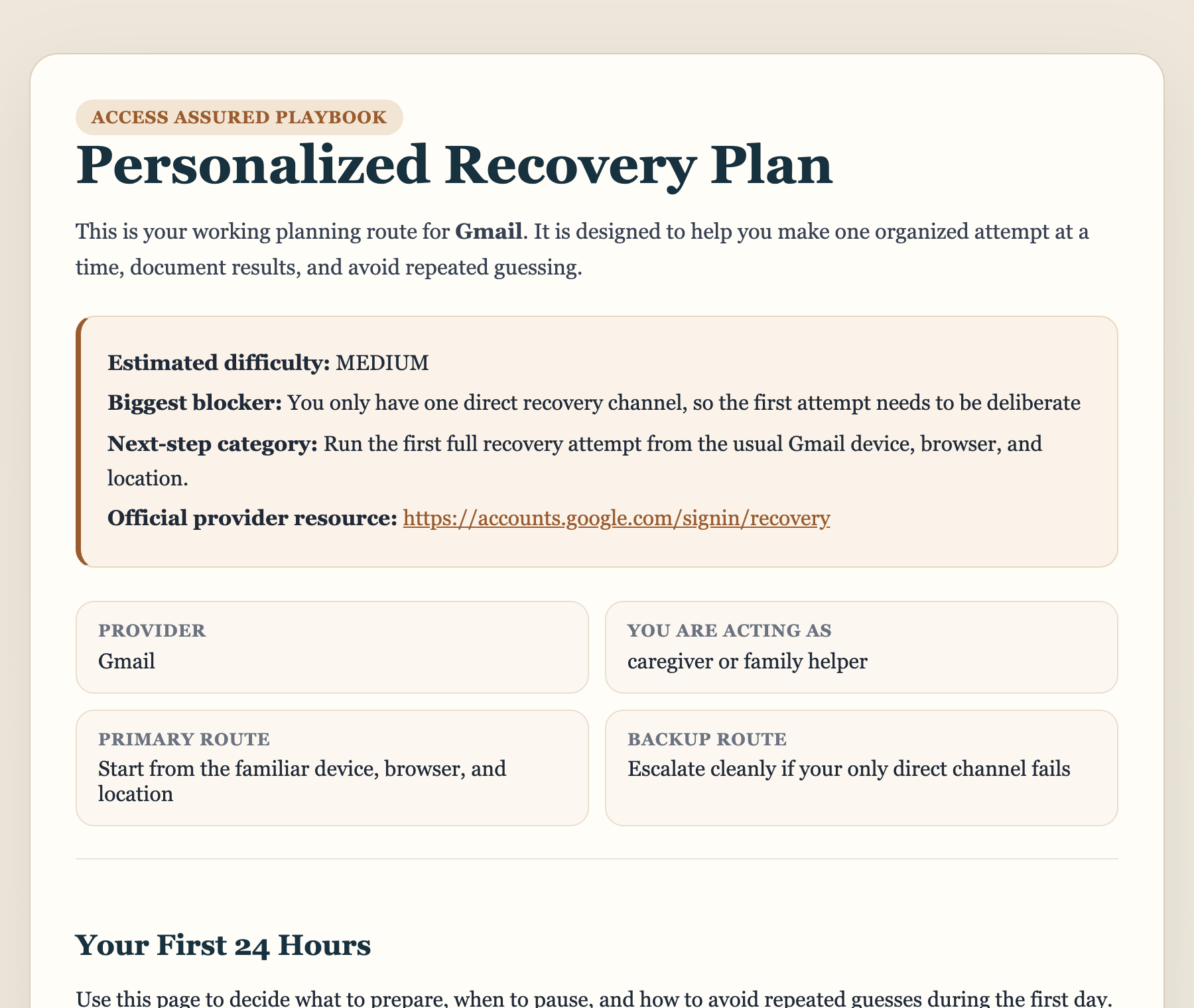
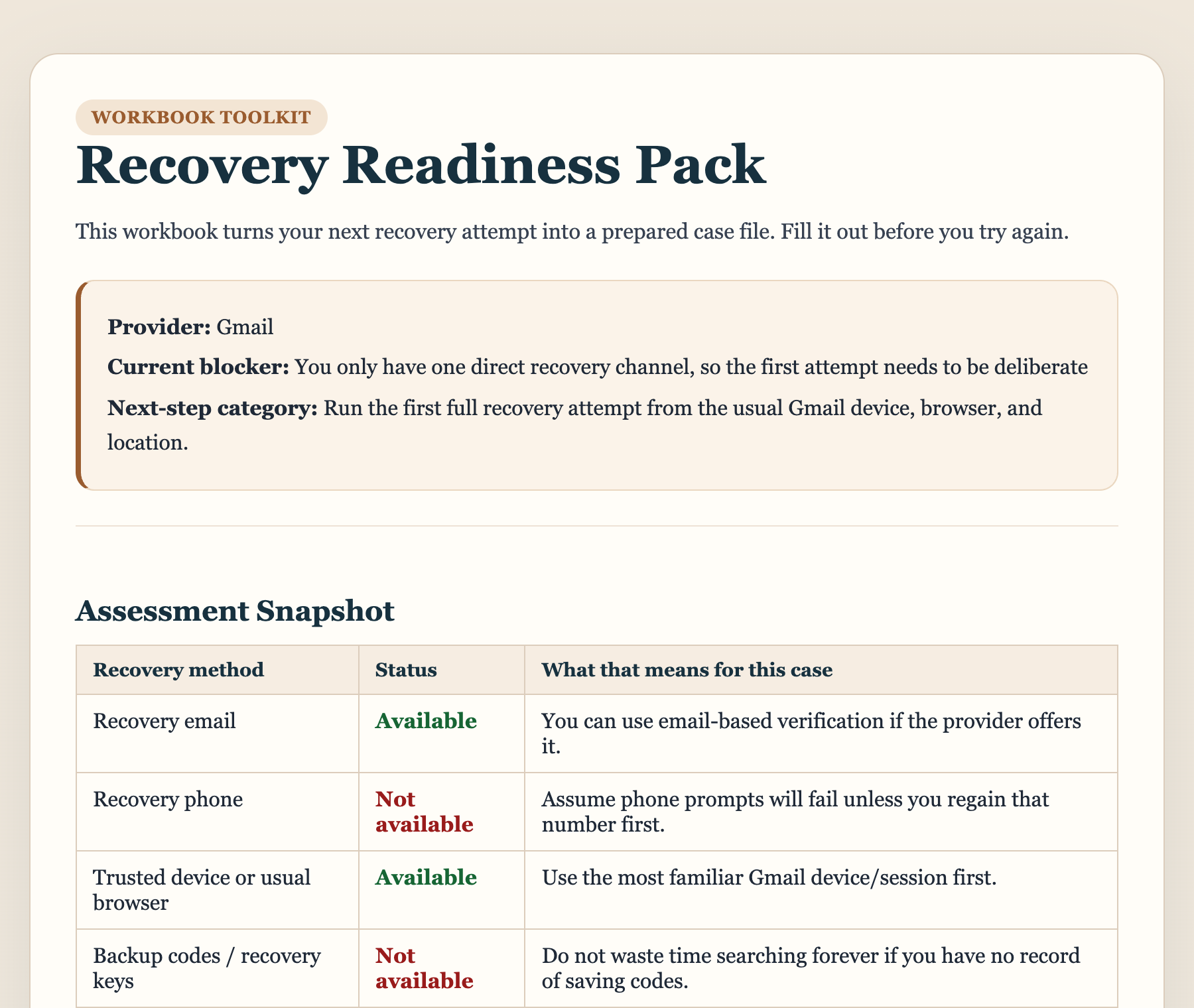
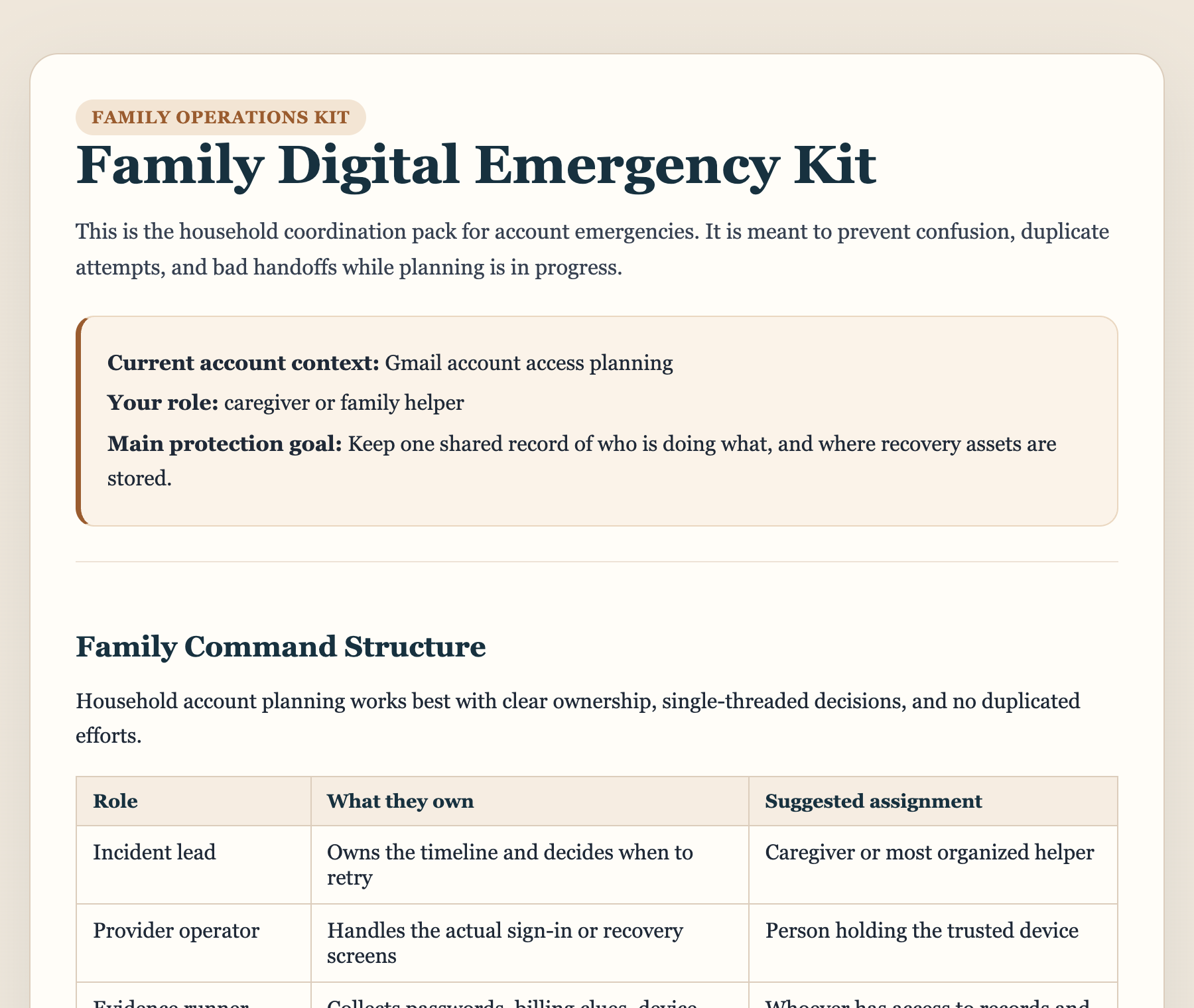
A single one-time purchase. No subscription, no tiers to compare, and no decision to get wrong.
$29one-time
Anyone locked out of an account, and anyone helping a parent or partner get back in.
$29 one-time — less than a single month of most subscription tools, and far less than falling for a recovery scam.
What you receive
Not sure yet? Take the free assessment first — it tells you your likely blocker and next step at no cost.
One-time purchase. Digital materials, delivered instantly. 30-day refund window. No provider affiliation or recovery guarantee.
Access Assured sells self-guided planning materials. We do not log into accounts, contact providers for you, bypass security, or guarantee access outcomes.
Access Assured sells digital planning materials. We do not collect passwords, do not claim provider affiliation, and do not guarantee outcomes.
Access Assured is new, so there is no independent review score to show yet — and we are not going to write one ourselves. If you buy the kit, you will get one email asking what you thought. Whatever you say goes up here unedited.
No. Access Assured is an independent service and is not affiliated with any provider. Provider names are used only to describe the type of account involved. We do not represent, partner with, or speak for any provider.
No. We sell self-guided digital planning materials, worksheets, and checklists. We do not log in, contact providers for you, bypass security, or provide done-for-you account access.
No. Do not send passwords, verification codes, recovery codes, security answers, or private account credentials. The assessment is designed to work without them.
No. Providers control verification and final outcomes. Access Assured helps you organize information, prepare clearer next steps, and avoid common mistakes; it cannot change a provider decision.
Depending on the product, you receive digital planning materials such as a situation-based plan, printable worksheets, an attempt tracker, a cooldown planner, family handoff pages, and scam-awareness pages.
No. These are one-time digital purchases. You pay once and receive access to the purchased materials.
Yes, if you need calm planning materials and shared notes. The Family Digital Emergency Kit is built for adult children, spouses, caregivers, and household helpers.
The materials can help you document what happened, identify repeated patterns, and decide what to gather before another attempt. They do not override provider cooldowns or security decisions.
Have questions? We're here to help.
Monday-Friday: 9am-6pm EST
Saturday: 10am-4pm EST
Sunday: Closed
We typically respond within 2 hours during business hours.